Payment Badges
The Payment Badges feature allows you to display trust badges and accepted payment method logos inside the slide cart.
These badges help increase customer confidence and improve conversion rates by reinforcing trust and security.
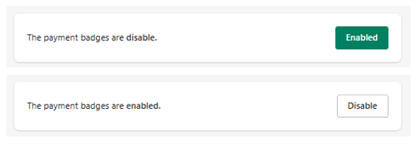
Feature Status
At the top of the section:
- Enabled → Payment badges are visible in the cart
- Disabled → Payment badges are hidden
Purpose
Payment badges are used to:
- Show accepted payment methods
- Build trust with recognizable brands
- Reinforce security perception
- Improve checkout confidence
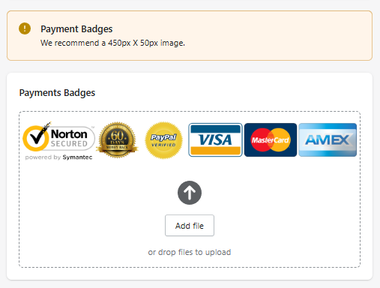
Recommended Image Size
Recommended size: 450px × 50px
Using the correct size ensures:
- Proper alignment
- Clean display
- Optimal responsiveness
Payment Badges Configuration
Upload Image
You can upload a custom image containing:
- Payment method logos (Visa, Mastercard, PayPal, etc.)
- Security badges (Norton, SSL, etc.)
- Trust seals
Upload Methods
- Click Add file to upload manually
- Or drag and drop files into the upload area
How It Works
- You upload a badge image
- The image is displayed inside the cart
- Customers see trusted payment and security indicators
- This increases confidence before checkout
Best Practices
- Use high-quality images
- Keep the design clean and minimal
- Avoid overcrowding with too many logos
- Ensure badges match your store branding
Summary
The Payment Badges feature allows you to:
- Display trust and payment logos in the cart
- Improve perceived security
- Increase customer confidence
- Support higher conversion rates
It is a simple yet powerful visual element in the final stage of the purchase journey.

