Announcement
The Announcement feature allows you to display promotional or informational messages directly inside the cart.
It is designed to communicate offers, benefits, or important updates to users during the checkout process.
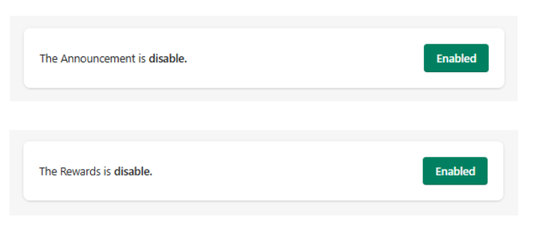
Feature Status
At the top of the section, you can control the module:
- Enabled → Announcements are displayed inside the cart
- Disabled → No announcement messages are shown
Use the toggle button to activate or deactivate this feature at any time.
Announcement Tiers
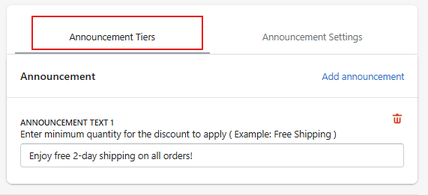
The Announcement Tiers section allows you to create and manage one or multiple announcement messages.
- Click Add announcement to create a new message.
Announcement Text
Defines the content of the message displayed in the cart.
-
Example:
Enjoy free 2-day shipping on all orders!
This message can be used to highlight:
- promotions (free shipping, discounts)
- store benefits
- limited-time offers
You can create multiple announcements to rotate or switch between messages depending on your strategy.
Announcement Settings
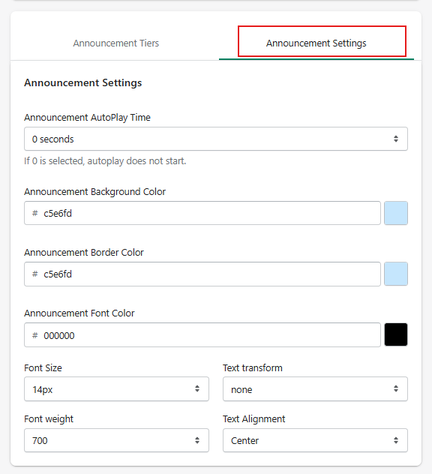
This section allows you to control how announcements behave and appear.
Announcement AutoPlay Time
Defines the time interval for automatic message rotation.
- 0 seconds → autoplay is disabled
- Any other value → messages rotate automatically
Sets the background color of the announcement bar.
Defines the border color of the announcement container.
Sets the color of the text.
Controls the size of the announcement text.
- Example: 14px
Controls text formatting (e.g., uppercase, lowercase).
Defines text thickness.
- Example: 700 (bold)
Controls how the text is aligned.
- Example: Center
- Display a single message
- Rotate between multiple messages (if autoplay is enabled)
Summary
The Announcement feature allows you to:
- Display promotional messages inside the cart
- Highlight offers and benefits
- Rotate multiple messages automatically
- Customize the visual appearance
It is a simple but effective tool to reinforce value and influence purchasing decisions at the final stage of the funnel.


