Additional Checkout Buttons
The Additional Checkout Buttons feature allows you to display accelerated payment options directly inside the slide cart.
These buttons enable customers to complete their purchase faster using trusted third-party payment methods.
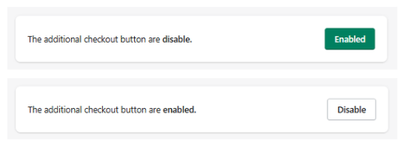
Feature Status
At the top of the section:
- Enabled → Accelerated checkout buttons are visible
- Disabled → These payment options are hidden
Purpose
This feature provides customers with quick access to express payment methods, reducing friction and speeding up the checkout process.
Supported Payment Methods
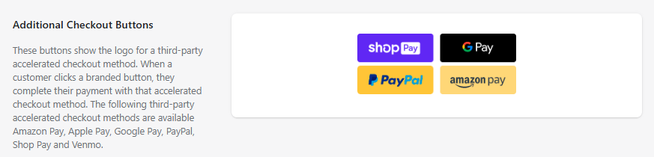
Depending on your store configuration, the following options may appear:
- Shop Pay
- Google Pay
- PayPal
- Amazon Pay
- Apple Pay (if supported)
- Venmo (if available)
How It Works
When enabled:
- Payment buttons appear inside the cart
- Each button displays the logo of the payment provider
- The user selects a preferred payment method
- The checkout process is completed through that provider
Key Behavior
- These buttons bypass the standard checkout flow
- Customers can complete purchases faster with saved payment details
- Availability depends on the store’s payment configuration
Important Notes
- These options are controlled by Shopify’s payment settings
- Not all methods will appear if they are not enabled in your store
- Some payment methods may vary by country or device
Summary
The Additional Checkout Buttons feature allows you to:
- Add express payment options inside the cart
- Enable faster and frictionless checkout
- Increase conversion rates with trusted payment providers
It is a key feature for optimizing the final step of the purchase funnel.

