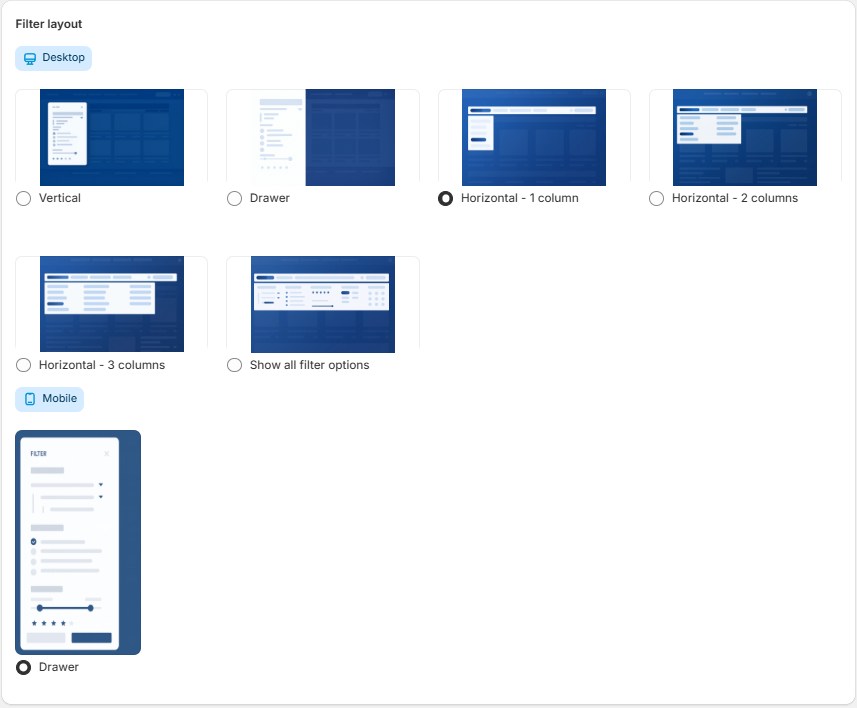
The Customize appearance section allows you to define the behavior and visual layout of filters for both desktop and mobile breakpoints.
Desktop Options
Under Filter layout, the following display modes are available:
-
Vertical – Renders filters in a fixed sidebar.
-
Drawer – Loads filters inside a collapsible off-canvas panel.
-
Horizontal – 1 column – Displays filters in a single-column horizontal structure.
-
Horizontal – 2 columns – Distributes filters across two horizontal columns.
-
Horizontal – 3 columns – Distributes filters across three horizontal columns.
-
Show all filter options – Expands all filter groups by default.
Selection is made using radio buttons.
Mobile Layout
-
Drawer – Filters are rendered inside a slide-out panel optimized for small screens.
Show / Hide Section
This section defines automatic filter behavior:
-
Reveal the number of products that meet the criteria
Dynamically displays the number of products matching the currently selected filters -
Auto-hide filter options when just one value is available
Automatically hides filter options when only a single value exists, preventing unnecessary or redundant filters from being displayed.
-
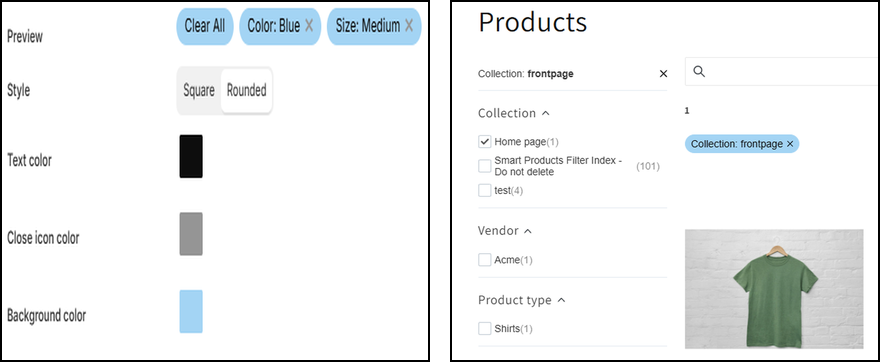
Filtering Controls (Main Toggle)
The main toggle switch enables or disables the active filtering controls feature entirely.
When set to On, selected filters will be displayed according to the configured settings.
Sidebar Display Settings
Controls where active filters are shown within the sidebar:
Display on Desktop
Shows active filters in the desktop version.Display on Mobile
Shows active filters in the mobile version.
Toolbar Display Settings
Controls the visibility of active filters in the top toolbar area:
Show on Desktop
Displays active filters in the desktop toolbar.Show on Mobile
Displays active filters in the mobile toolbar.
Preview
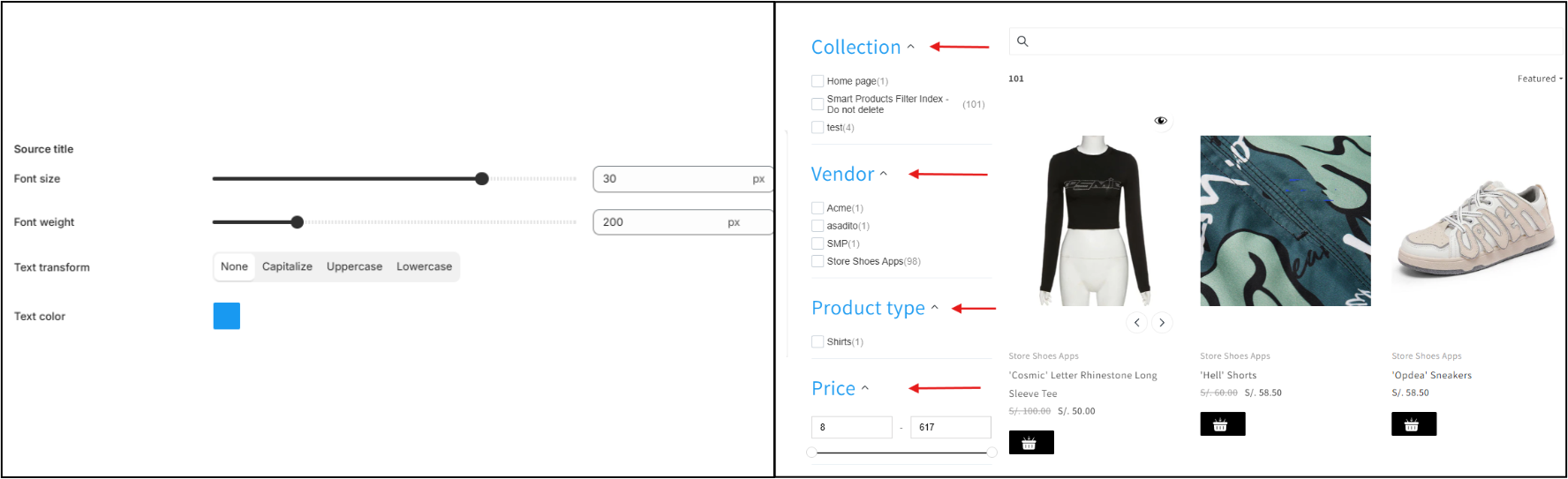
Source Title Settings
The Source Title settings allow you to customize the typography and visual appearance of the filter source heading.
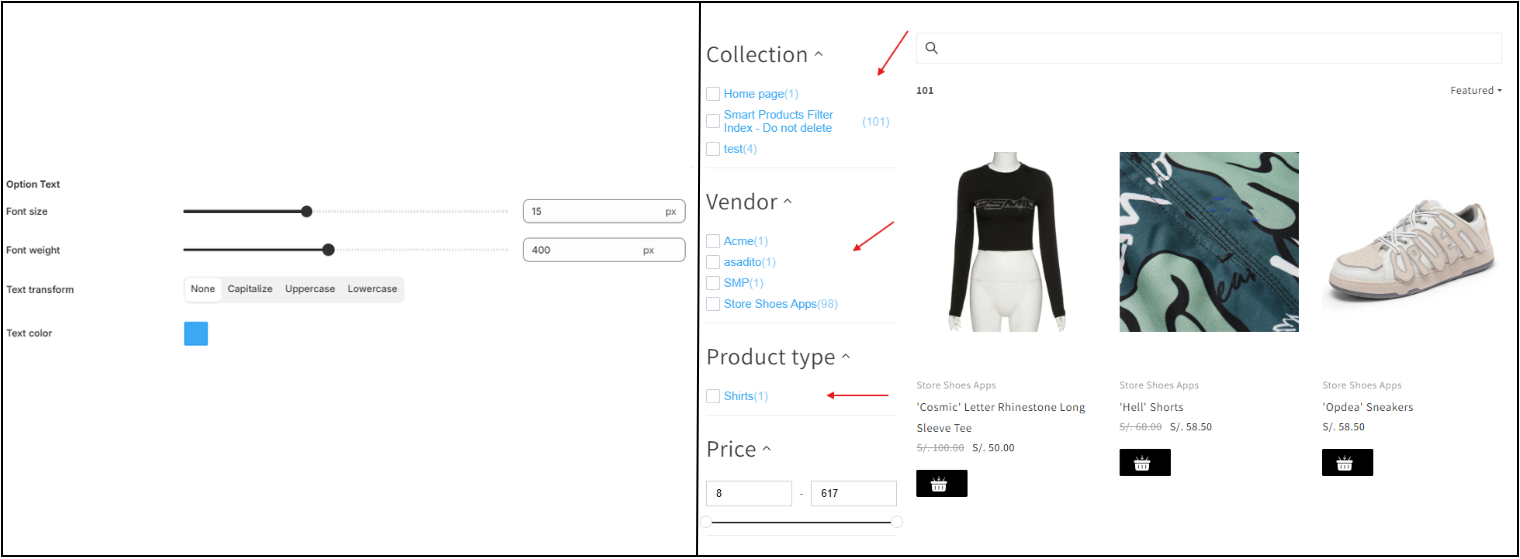
Option Text Settings
The Option Text settings allow you to customize the typography and visual appearance of individual filter option labels.